

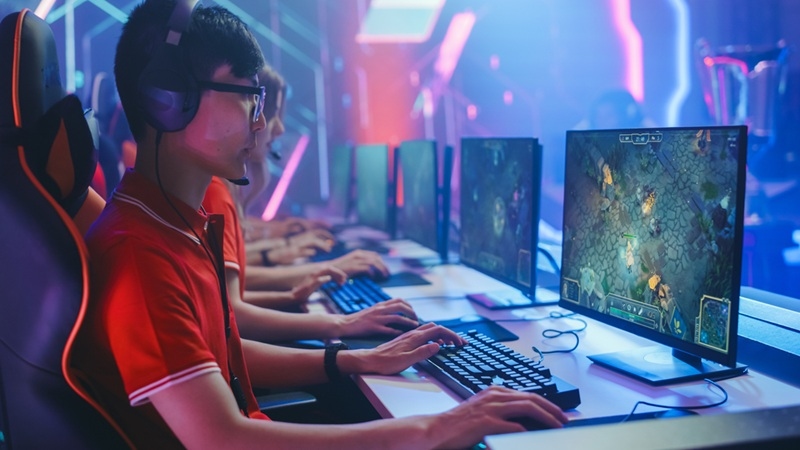
It appears that the gaming experience in 2026 is becoming extremely immersive due to the realistic graphics created through complex game engines. However, many gamers are facing challenges associated with low frames per second (fps) as well as lag, which may cause choppy or slow gameplay.
This guide here is about to help you get a grip on improving performance, whether you are on PC or consoles, with some straightforward steps.
Here’s how you can optimize FPS gaming in 2026:
One of the simplest ways to pump up performance is to tweak your settings a bit. You know, many gamers crank up those graphics without even thinking about how it affects FPS.
So the best graphics settings approach is basically about finding that sweet spot between visuals and performance. Lowering shadow quality can give a nice FPS boost, and maybe just a tad lower texture resolution helps out your system if it does not have much VRAM. Turning off things like motion blur and visual effects like bloom can really help with smoother gameplay.
Honestly, going with medium settings instead of ultra often ends up being the best move if you want to boost FPS in PC games while still keeping a good bit of visual quality.
Keeping your system up to date is a pretty straightforward but super effective way to optimize FPS gaming in 2026. If your drivers are outdated, that can totally lead to performance hiccups, crashes, and other compatibility headaches.
So really, make sure updating your GPU drivers is a regular thing, and do not forget those latest system updates. Game developers are always throwing out patches to improve performance, so keeping your games updated is crucial. These little habits are some of the most effective gaming performance tips that many players totally overlook.
Those background apps can quietly eat up your CPU, RAM, and even internet bandwidth. Fewer resources available for your game, which is never good.
To cut down on lag while gaming, go ahead and close any unnecessary apps before you dive into your game. Browsers, streaming apps, auto-start programs, all those can sneak up on you. Checking your task manager can also help you see which processes are hogging the most resources.
This simple step is actually a really key part of any FPS boost guide and keeps your performance consistent.
These modern games come packed with detailed settings that allow you to fine-tune how everything runs. Getting those right can really make a difference.
Just lowering resolution scaling a bit can seriously boost FPS without making everything look too fuzzy. Dropping anti-aliasing levels can help with performance, too. And like, turning off V-Sync can cut input lag, while setting a frame rate limit that matches your monitor can give you better stability.
If optimizing FPS gaming in 2026 is your goal, then learning how those settings work is super important. That’s definitely one of the most practical ways to boost FPS in your PC games.
Sometimes software tweaks just do not cut it, especially with those newer games rolling out. In cases like that, you might want to think about upgrading your hardware.
Therefore, increasing your RAM will improve your ability to multitask and reduce lag in gaming. Getting a faster GPU will greatly improve performance and increase FPS in PC games. Switching to an SSD would be a game-changer regarding load times and general responsiveness.
Gaming on consoles has really changed over time, and the latest systems have these performance modes that are actually useful.
You can pick between quality mode and performance mode on most games for PS and Xbox. Quality mode is all about better visuals, while performance mode aims for higher FPS, and it is a big difference.
If you are looking to amp up your FPS for gaming in 2026, performance mode is definitely the way to go. It cuts down on lag and makes everything flow better, especially in those super quick-action games.
You have to think about your system not overheating because that really drags down performance and can cause thermal throttling. When things get too hot, the system does this thing where it slows down to save itself.
So make sure your PC or console has good airflow. Like, clean out the dust from the fans often, and do not block those ventilation spots. You might wanna think about getting cooling pads or better fans for your case; it can really make a difference.
For real, managing your temperature is such a key gaming performance tip that people often forget about, but it can help stability and get your FPS up for PC games.
A messy or slow storage drive can totally kill your game performance. Like, especially with those open-world games that are constantly loading stuff.
To cut down on lag, keep your drive with enough free space and try not to overload it with heavy programs. If you swap to an SSD from an HDD, wow, your loading times will get so much better, and the stutter will really drop off.
People do not often think about disk optimization, but it is honestly super important for a solid FPS boost guide.
FPS is about way more than just how graphics look. Online gaming is super reliant on having good internet.
To really lower lag when gaming, you should use a steady internet connection. Honestly, wired connections beat Wi-Fi every time. Closing background downloads and limiting what other devices are using your network can definitely help your performance.
Getting your internet optimized is one of those crucial gaming performance tips, especially when you are into multiplayer games.
There are loads of tools out there that can help make your performance better without you lifting a finger. These tools can tweak system settings, clear some memory, and just boost how your game performs overall.
They are not always necessary, but they can really help out beginners who may be lost on tweaking settings. Using these tools can totally aid your push to optimize FPS gaming for 2026 and follow a decent FPS boost guide.
Recommended Blog: Gaming PC Build Guide: Beginner Setup and Parts List
Optimizing your gaming performance in 2026 does not have to be a brainbuster. Just by changing some graphics settings, keeping your drivers updated, managing any background apps, and ensuring your system is in tip-top shape, you can really smooth out the whole gaming experience.
With this approach, you will find it much easier to boost those FPS for PC games, take some smart performance tips to heart, and actually cut down on lag for a way better experience.
Lowering graphics settings, such as shadow and resolution, is one of the simplest methods of increasing FPS in gaming. Besides updating drivers and closing background applications, these also act as performance enhancers without the need for hardware upgrading.
It is true that installing more memory can allow for better performance, especially with newer games. The amount of RAM directly affects stuttering, multitasking capabilities, and ensures seamless gameplay, which is usually the main goal of an FPS boost guide.
If you want to reduce lag in gaming, the first thing to do is use a stable internet connection; a wired one is most preferred. You should also close background downloads and apps that are using bandwidth. Besides these, an in-game graphics setting reduction could help maintain stable performance while playing a match online.
Ultra settings produce a really nice visual, but can greatly drop FPS. In order to achieve more fluid gameplay, it is better to go with the top graphics settings gaming game plan of balancing the visuals and the performance rather than maxing everything out.
This content was created by AI